
Organize your daily life with ease
Capture a quick thought or plan a month long project. Nest Note helps you stay on top of everything.
App Screenshot
App Overview
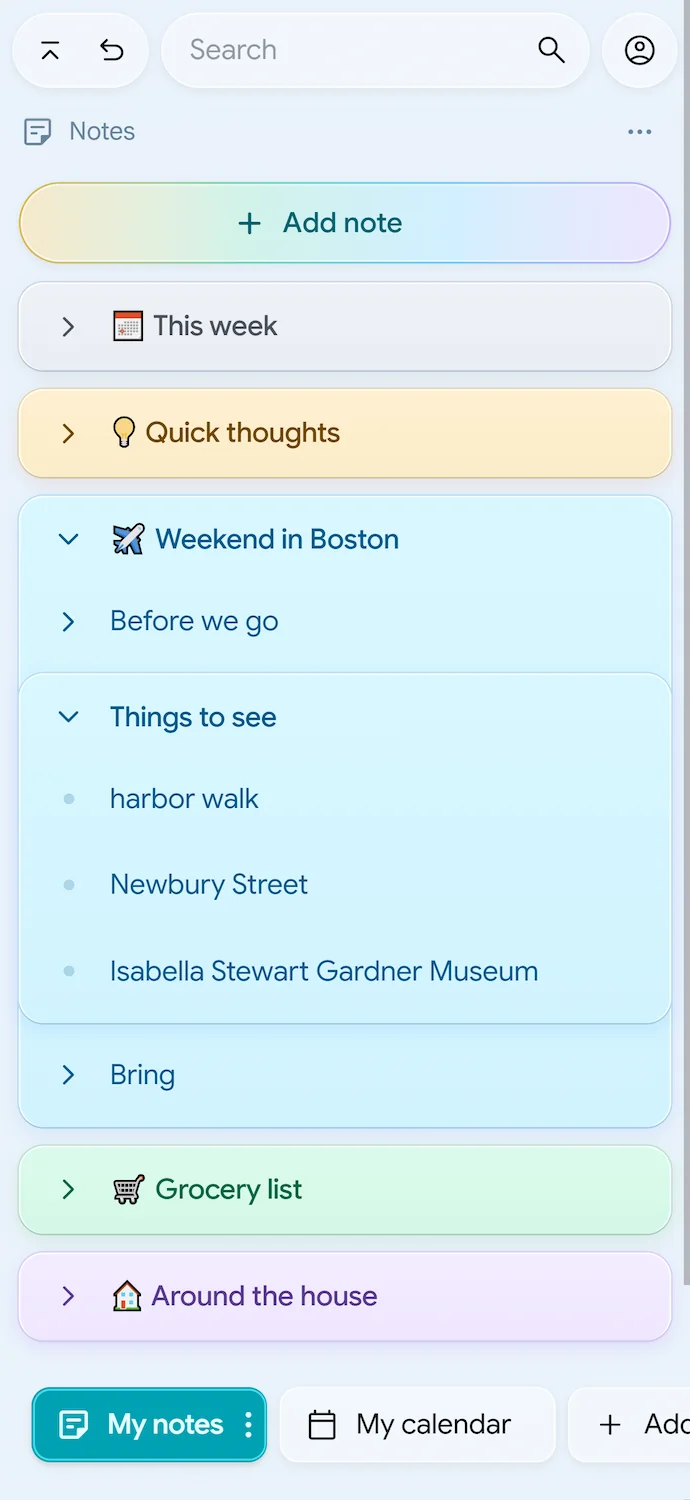
Main screen showing daily notes, checklists, and projects in one view.
assets/screen-hero.webp
Flexible Organization
Tuck details away and keep what's important front and center.
Ever open a notes app just to jot down one quick thing, and suddenly your reminder to buy eggs has the exact same visual weight as your 5-year life plan? Nest Note solves the clutter without forcing you into folders.
-
One screen for everything Put your master to-do list, shopping list, and deep project notes side-by-side.
-
Zero folder diving Never click through three layers of mystery folders just to find a checklist.
-
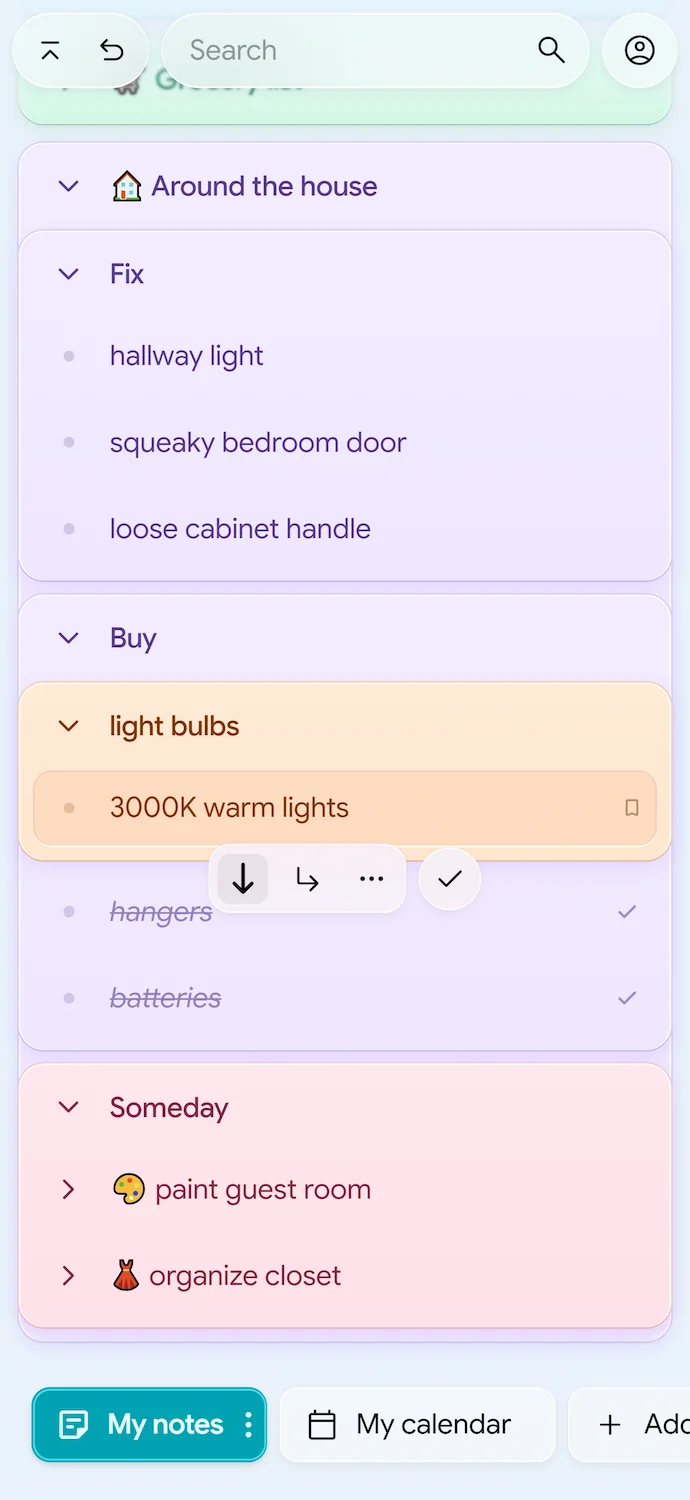
Write however you want Mix sentences and checkable items freely. No need to decide upfront whether a note is a "checklist" or a "doc."
App Screenshot
Nesting & Sublists
Showcase sublists inside sublists, mixing notes and checkmarks.
assets/screen-organize.webp
Bird's-Eye Calendar
A calendar for the big picture, not just 30-minute meetings.
Most calendar apps are obsessed with hour-by-hour time slots. But real life is about knowing what’s coming up this week, next month, and down the road.
-
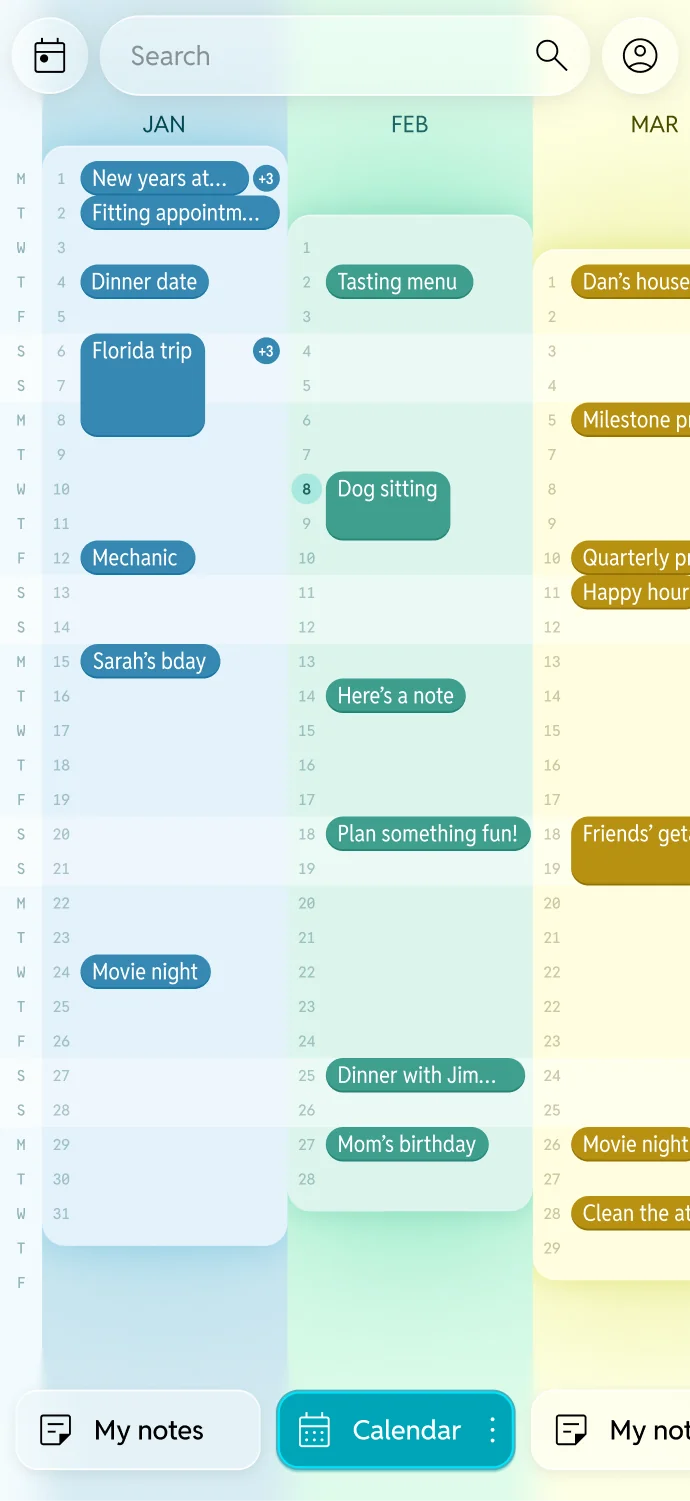
See months side-by-side Swipe through your year with an effortless bird's-eye view that makes planning natural.
-
Notes and dates, together at last Turn any note or sub-task into an event with a quick tap. No bouncing between different apps.
-
Never miss a beat Keep important dates right where you can see them, so you can plan ahead with complete confidence.
App Screenshot
Bird's-Eye Calendar
Showcase multi-month side-by-side view with color event pills.
assets/screen-calendar.webp
Private & Local-First
Fast, quiet, and completely yours.
Your notes shouldn't take five seconds to load, and they definitely shouldn't be sitting on some mystery company's server.
-
Instant, even on airplane mode Nest Note lives directly on your device first. It opens in the blink of an eye—even on a spotty subway connection.
-
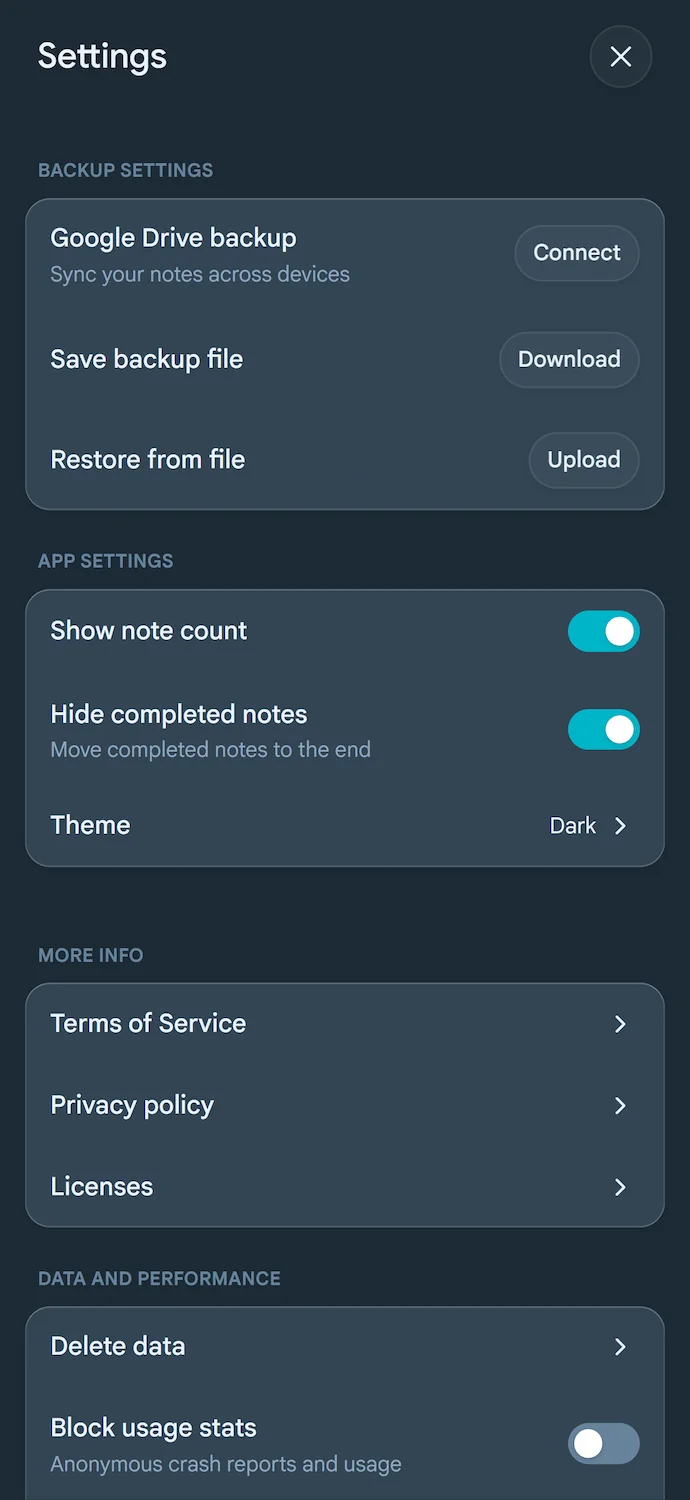
Direct to your Google Drive When you back up your notes, they sync straight to your own personal Google Drive. No middleman reading your daily thoughts, ever.
App Screenshot
Privacy & Backup
Showcase Google Drive sync settings and local-first data controls.
assets/screen-privacy.webp